
Export
The Export Congregations tool lets you select one or more congregations to include in an export.
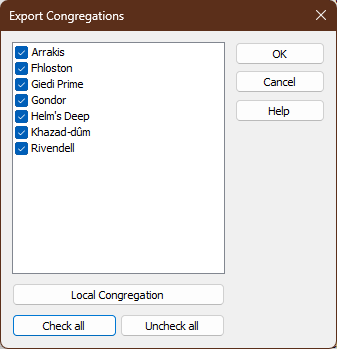
Figure 46. The Export Congregations window.
How to Access
You can open the Export Congregations window from:
- Database → Congregations → Export.
Select Congregations
A list of available congregations is displayed with checkboxes.
By default, all congregations are selected.
Clear or select the checkbox next to a congregation to exclude or include it in the export.
Local Congregation
Click Local Congregation to automatically select your local congregation.
Check All / Uncheck All
Use Check All to select every congregation.
Use Uncheck All to clear every selection.
Confirm or Cancel
Click OK to proceed with exporting the selected congregations.
Click Cancel to close the window without exporting any data.
By using this tool, you can ensure that only the necessary congregations' data is exported.
Navigation
- Parent topic: Congregations
- Previous topic: Congregation Manager