Current version: 26.5.1
Introduction
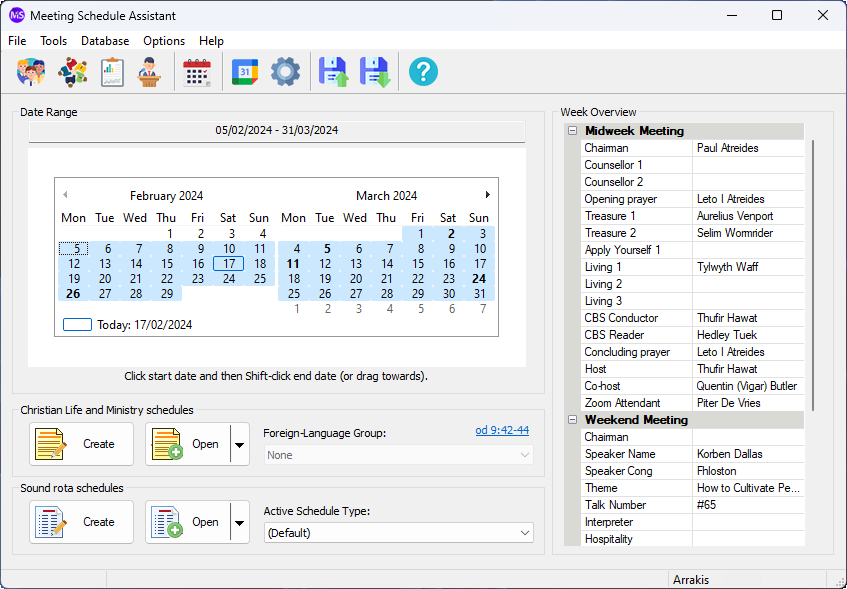
Meeting Schedule Assistant is designed to help you create a simple report for the various assignments at the Kingdom Hall. It used to be called SoundRota.
You can specify which brothers to use for:
- Sound Console
- Platform / Stage
- Platform Microphone
- Microphone Handlers
- Attendants

What’s New: View the Revision History to see what changes have been made in recent versions.

Online Help: Have a look at the Online Help. This is the best way to get an idea of what you can do with Meeting Schedule Assistant.
Screen Gallery


More Information
You can add your own types of assignments into the program making the schedules fully customizable. For example, you might like to add a column listing those on duty for Hall Cleaning, or someone responsible for Locking of the Kingdom Hall after meetings, or who is to care for Kingdom Hall car park security etc.. One of the key features in Meeting Schedule Assistant is that you can populate your schedules automatically.
Midweek Editor
It does not stop there! Meeting Schedule Assistant also includes a comprehensive Our Christian Life and Ministry Meeting Schedule editor.
All meeting assignments can be effortlessly catered for and included on the schedule.
Note
It is possible to automatically assign some of the Our Christian Life and Ministry Meeting assignments.

Synchronise with Google and Outlook
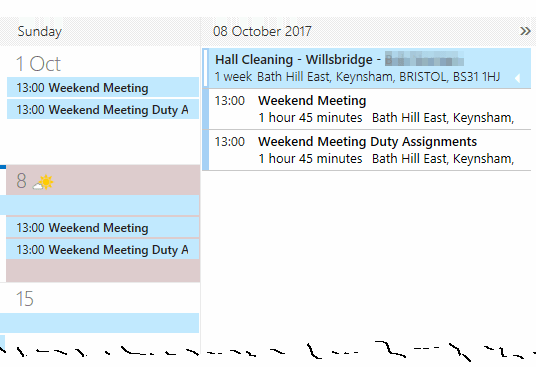
Do you use a Google Calendar or Outlook.com/Outlook365 Calendar? Then consider using the Calendar synchronization facilities within Meeting Schedule Assistant. Many mobile device users have instant access to the internet and their Google / Outlook Calendar. There are requirements you should be aware of concerning this feature.



There are other features to Meeting Schedule Assistant that make it a useful program to use, like personalized schedules for each person amongst other things. The help file included with the program provides full details about these features. The program can also be run directly from inside the Public Talks program (from the Tools menu) if you also have that installed.
Thank you very much to brothers and sisters who have been willing to do these translations. Please let me know if you would like to consider translating it into another language.
Congregations and Public Talks
Version 24.1.0 introduced a new user interface for managing:
- Congregations
- Public Talks
These new databases are used by the Weekend Meeting Editor. More functionality (where possible) will be migrated from the original Public Talks application into Meeting Schedule Assistant.
Download
Supported Operating Systems
- Windows 10
- Windows 11
Deprecated Operating Systems
These operating systems are no longer supported:
- Windows 7 (Service Pack 1)
- Windows 8.1
You can still download the last supported version of Meeting Schedule Assistant (which was 23.1.0) from here. But this version is no longer maintained. You are encouraged to use version 23.1.1 or higher.
Supported Operating Systems
- Windows 10
- Windows 11
Deprecated Operating Systems
These operating systems are no longer supported:
- Windows 7 (Service Pack 1)
- Windows 8.1
You can still download the last supported version of Meeting Schedule Assistant (which was 23.1.0) from here. But this version is no longer maintained. You are encouraged to use version 23.1.1 or higher.
You can set the software to update automatically, or upgrade at any time using the Check for Update option in the Help menu.
Meeting Schedule Assistant uses DLLs to send your schedule data (whether from within one of the editors or from a saved report document) to the Microsoft Google or Outlook calendars.
These DLLs require the Microsoft .NET 8 or higher to be installed on your computer. The installer would have tried to determine if this software was required and should have offered to download it from the Microsoft website. So if you encounter problems, then please check to see that you have Microsoft .NET 8 or higher installed.