We are pleased to announce the release of Meeting Schedule Assistant version 26.7.0.
This update brings a refreshed, more compact user interface designed to streamline your scheduling workflow, alongside key bug fixes and foundational improvements for modern displays.
Here is a summary of what’s new and improved in this release:
🐛 Bug Fixes
- Google Calendar Synchronization: Fixed an issue where What Would You Say? items were not syncing properly. They now synchronize correctly with Google Calendar as expected.
🎨 User Interface Enhancements
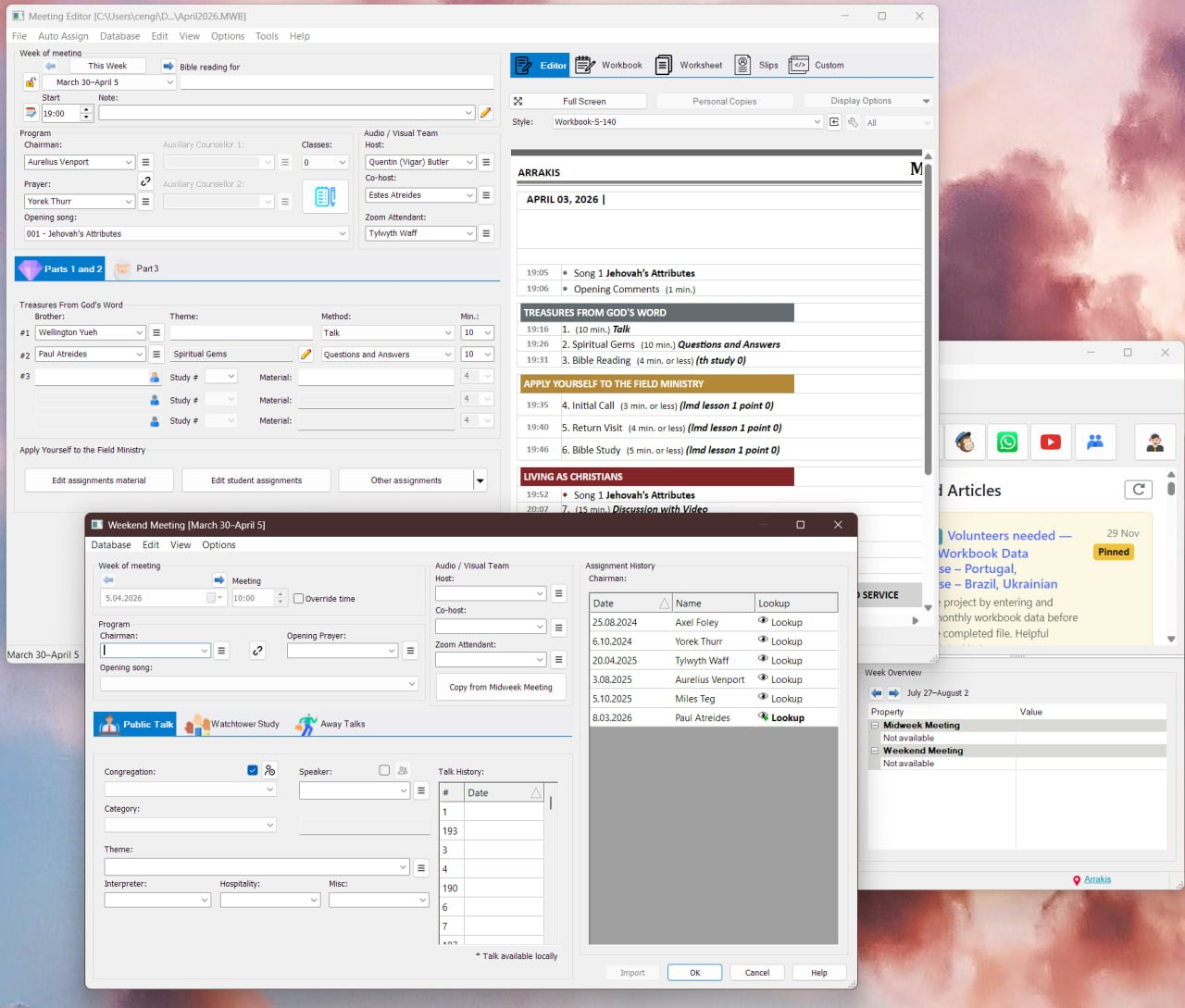
- Redesigned Meeting Editor: The Meeting Editor has been streamlined to use significantly less screen space. It now features a clean, tabbed layout that neatly separates Parts 1–2 and Part 3:
- Parts 1–2: Treasures From God’s Word and Apply Yourself to the Field Ministry
- Part 3: Living as Christians
- Redesigned Weekend Meeting Editor: The Weekend Meeting Editor has received a matching redesign! It also adopts an intuitive tabbed interface, dividing controls across dedicated tabs for:
- Public Talk
- Watchtower Study
- Away Talks
- No More Scrollbars: Previously, users with smaller displays had to rely on scrollbar settings to navigate the editors, which could feel clunky and didn’t always scroll smoothly. Thanks to the new tabbed layouts, scrollbars—and the settings to enable them—have been completely removed. Everything now fits neatly on screen for a cleaner, fully visible workspace.
🖥️ High-DPI & Display Improvements
- Enhanced Text Scaling: We have begun rolling out improved support for high-DPI displays (high-resolution screens and custom Windows text scaling). This phase involves updating graphics across multiple resolutions to ensure crisp visual elements. Note: This work is ongoing, with further enhancements planned in future updates.
📥 Ready to Update?
The easiest way to update is directly within the application using the Check for Updates feature (Help > Check for Updates).
Prefer a manual install? Download the installer directly:
📥 Download 64-bit Version (Recommended)
Thank you for your continued feedback and support!