
I’m pleased to announce the release of Meeting Schedule Assistant 26.6.0, and this one brings some genuinely meaningful improvements — especially if you rely on the various congregation and publisher importers.
Major Improvements to Importing
A lot of work has gone into making the importers more accurate, more reliable, and easier to access. In A lot of work has gone into making the importers more accurate, more reliable, and easier to access. In this release:
- The MSA and PTS congregation importers have been improved for better accuracy and consistency.
- The recently added NWS Desktop and KHS publisher importers have been refined for greater reliability.
- Hourglass is now fully supported:
- Speakers from Hourglass (CSV)
- Publishers from Hourglass (JSON)
- And we’ve added support for several other new CSV‑based importers:
- Congregations from NWS Desktop
- Publishers from Deckhand
- Speakers from NWS Desktop
All importers are now grouped together under a dedicated Import menu in the main application window, making them much easier to find. The Publishers Database window also has its own Import menu for quick access.
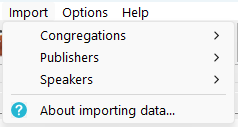
You can read more about this change in the new help topic: Import Menu
New Live Chat Support
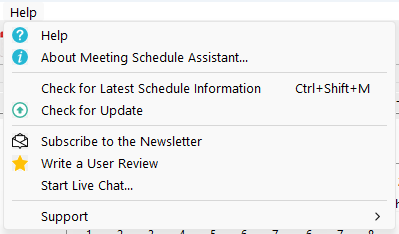
Version 26.6.0 introduces Start Live Chat… in the Help menu, giving you direct access to real‑time assistance through a Tawk.to chat window. It’s also available from the Social Icons Panel for even quicker access.
Better Support and Easier Navigation
This update also introduces a few quality‑of‑life improvements:
- The RSS icon on the Social Icons Panel has been replaced with a Start Live Chat button for even quicker access.
- The Backup Settings and Restore Settings commands have been renamed to Backup and Restore to better reflect that they apply to all program data.
- A link to the Center Cursor on Screen utility has been added under Tools > More Tools.
- The Reminders feature has been moved from the Options menu to the Database menu, since reminders are congregation data stored in the XML file.
Documentation Overhaul
The online help has been reorganised and updated, with clearer navigation, improved menu topics, and many rewritten sections. This is still a work in progress, and more refinements will continue to roll out over the coming weeks.
The help has always been available on the website at: https://www.publictalksoftware.co.uk/help-msa/
For those who prefer a GitHub‑style layout, an alternative version of the help is also available on the GitHub Wiki: https://github.com/ajtruckle/meeting-schedule-assistant-support/wiki
And Finally…
A few minor and cosmetic issues have also been fixed along the way.
Latest Download
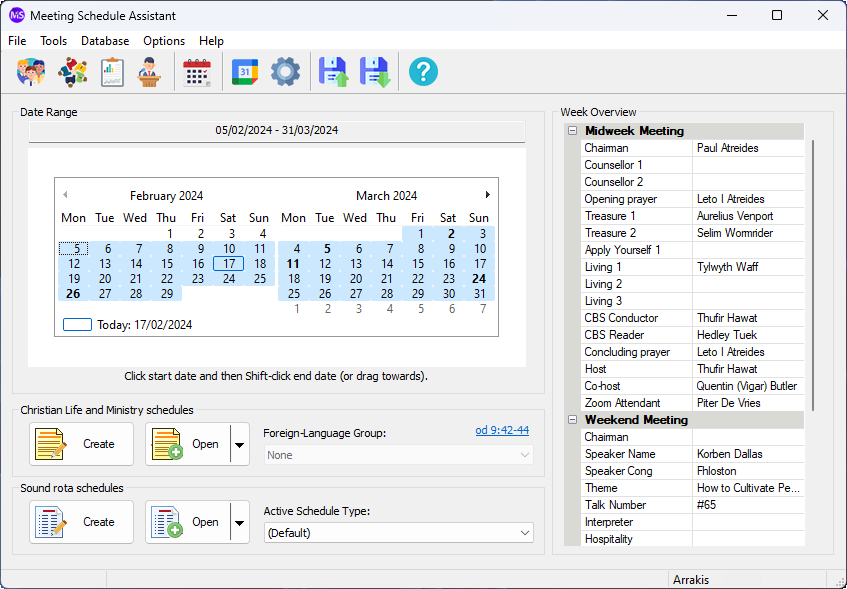
Supported Operating Systems
- Windows 10
- Windows 11
Deprecated Operating Systems
These operating systems are no longer supported:
- Windows 7 (Service Pack 1)
- Windows 8.1
You can still download the last supported version of Meeting Schedule Assistant (which was 23.1.0) from here. But this version is no longer maintained. You are encouraged to use version 23.1.1 or higher.
Supported Operating Systems
- Windows 10
- Windows 11
Deprecated Operating Systems
These operating systems are no longer supported:
- Windows 7 (Service Pack 1)
- Windows 8.1
You can still download the last supported version of Meeting Schedule Assistant (which was 23.1.0) from here. But this version is no longer maintained. You are encouraged to use version 23.1.1 or higher.