2027 EDITION
Meeting Schedule Assistant 27.2.0
Released 18 November 2026
Version 27.2.0 is ready. It builds on the move to the schedule database in 27.0.0, adds faster ways to find talks and songs, makes the Meeting Editor fit smaller screens, and fixes a good number of annoyances. Here are the highlights.
The highlights
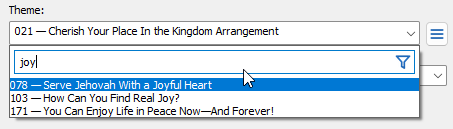
🔍 Find talks and songs by typing
The public talk list now has a filter box. Type a talk number or some text and the list narrows as you type. It works in the Away Talk window too. The same filter box is now on the song lists in the Meeting Editor and on the Bethel speaker and Memorial special events.
💻 A Meeting Editor that fits your laptop
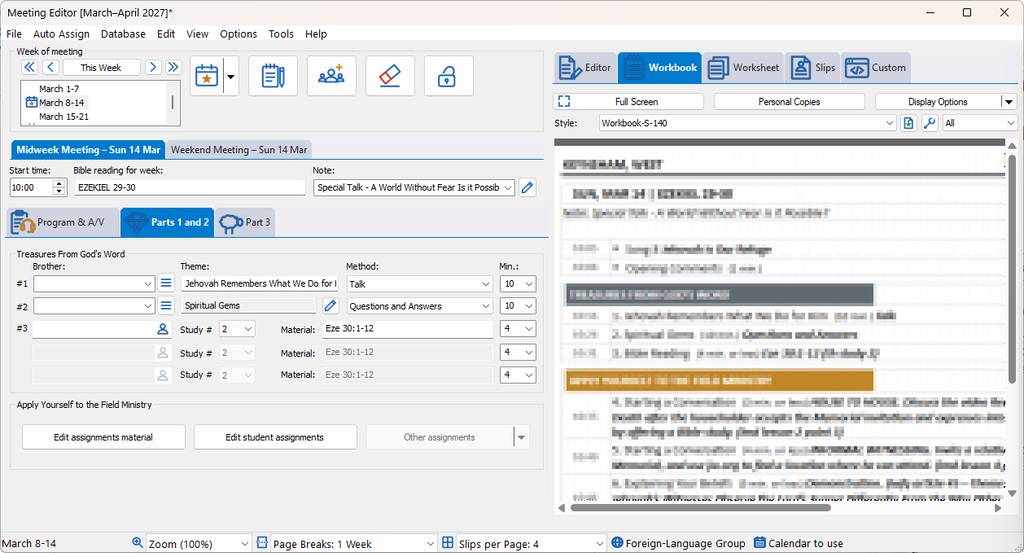
There is a new compact layout for small screens. The Program and Audio/Video team fields move to a new first tab called “Program & A/V”, so the whole editor fits on screens as small as 1366 x 768. It switches on by itself when your screen is too short, and you can turn it on or off from the editor’s Options menu.
🔄 Meeting Workbook Transfer has a new home
Transfer is now on the main window. Use the arrow on the Meeting Editor button (Ctrl+Shift+X to send, Ctrl+Shift+I to receive).
- Received weeks are saved straight into your schedule, without opening the Meeting Editor.
- Locked weeks are never changed by a transfer, and they are listed at the end.
- You now see how many weeks were added and how many were updated.
- Clearer messages if a transfer file can’t be used (wrong language or data set, newer version, or not a transfer file).
Please note: transfer files now use a new format that older versions can’t open. Files made by older versions can still be received.
📅 Double-click a day on the calendar
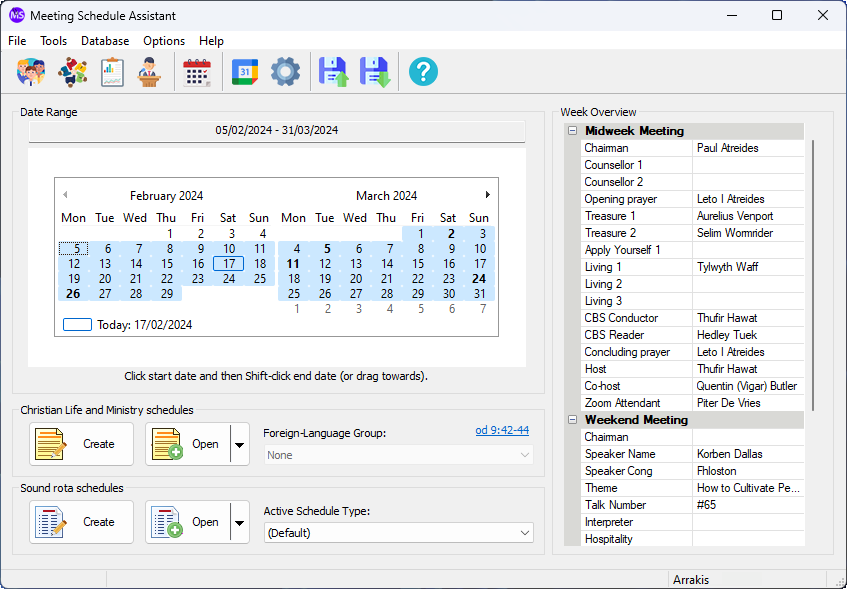
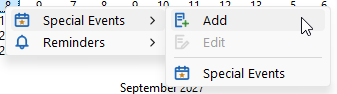
Double-click a day on the main window calendar to add or edit a special event or reminder. A day with just one of them opens its window. Any other day shows a small menu with Add, Edit and a link to each window, with Add or Edit greyed out when the week already has (or does not have) one.
Special events and reminders also get an amber frame on the calendar, so they are easy to spot in dark mode. You can now select up to 26 weeks on the calendar (it used to be 90 days).
📈 History now comes from the database
Assignment history, talk history, next booked dates and yearly talk reviews now all use your schedule database. Old history files are no longer used, and “Import from MWB History” has been removed. The Talk Setup and Review windows now show the correct latest history year.
🎨 Sharper look, light or dark
Many icons have been redrawn, including the Meeting Editor, Script Editor and history (eye) icons, so they stay sharp in dark mode and at every display scaling setting. Menus now follow the app’s light/dark setting even when Windows uses a different one, and the app redraws correctly when you change display scaling or move it to a monitor with a different scaling (settings windows are not covered yet).
Also new
- The Assignments Editor import now supports separate Midweek and Weekend tabs. Your existing import mappings still work.
- MWB files are no longer in the Recent Files list. The Bulk Importer is on that menu button instead.
- Cancelling the message about newly created weeks now takes you back instead of opening the editor.
- A new Updated filter in the Public Talks filter menu shows only talks with a pending talk update.
- In the Script Editor, a folded code block now shows { … }.
- Small improvements to the Calendar Settings window, and the News Feed labels look better in light mode.
- The splash screen no longer has a 3D border.
Fixed
- Keyboard shortcuts were not working in some windows.
- Folding code in the Script Editor did not work.
- The eye button on the Public Talk tab did not show the history, and some public talk history displays showed the wrong history.
- Talk history did not update when you picked a speaker from the list, and a speaker added through Manage did not show their talk history until you selected them again.
- Renaming a speaker or a congregation did not update the schedules stored in the database.
- The link button between Chairman and Opening Prayer did not mark the week as changed.
- The date box in the Away Talk window did not display correctly in dark mode.
Thank you for using Meeting Schedule Assistant, and for all your feedback and bug reports. They really do shape each release.