
This version has many new features and performance improvements. For example, some of the windows now display much faster, such as when you select a student. Then there is the migration away from using MWB files to using a database. And, finally, an improved Script Editor with better dark mode support.
You might encounter some glitches when using this release. Please bring them to my attention and I will address as quickly as I can. The various translations will be updated and released as they come through.
Thank you for helping Meeting Schedule Assistant to stay alive.
Your brother
Andrew
Database Migration
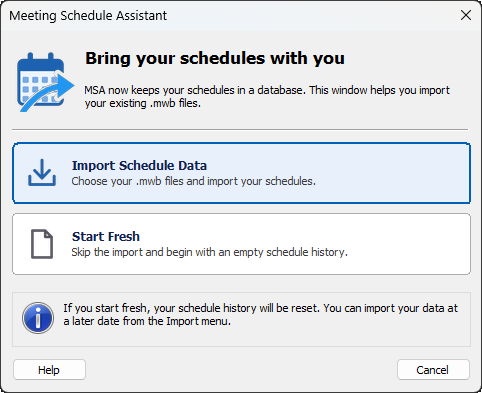
Meeting Schedule Assistant now keeps your schedules in a database instead of in meeting workbook (.mwb) files. If you used an earlier version, this window appears the first time you start the program so you can bring your existing schedules with you. See: Moving your schedules to the database.
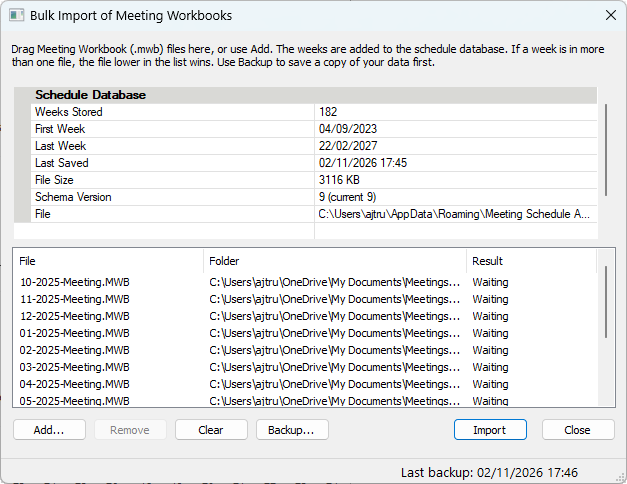
Bulk Import of Meeting Workbooks
Click Import Schedule Data and use Bulk Import of Workbooks to catch up your schedule database with many Meeting Workbook (.mwb) files at once. It is meant for when you have a folder of older workbooks and want all of their weeks in the schedule database without opening and saving each one in the editor.
Database Tools
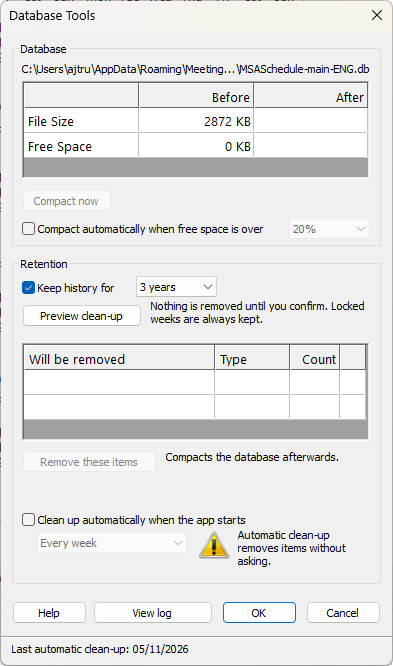
Take control of your Meeting Schedule Assistant database. Preview and remove outdated data, recover unused space, and automate routine database maintenance with the new Database Tools window.
Some of the built-in templates have been updated as a result of making the migration to using the new database for assignment history. The legacy history text file will be removed in a future version.
Workbook Navigation
Some improvements have been made here.
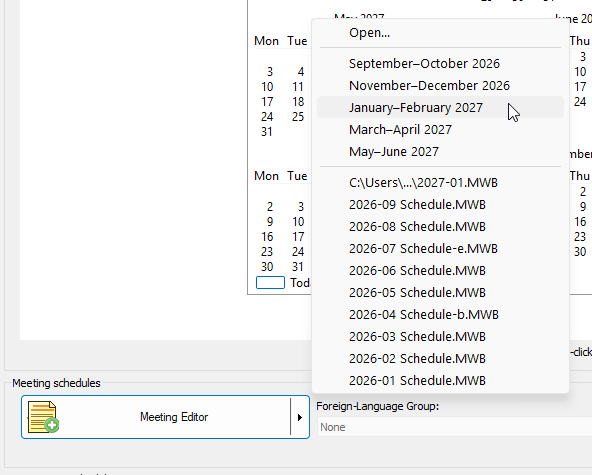
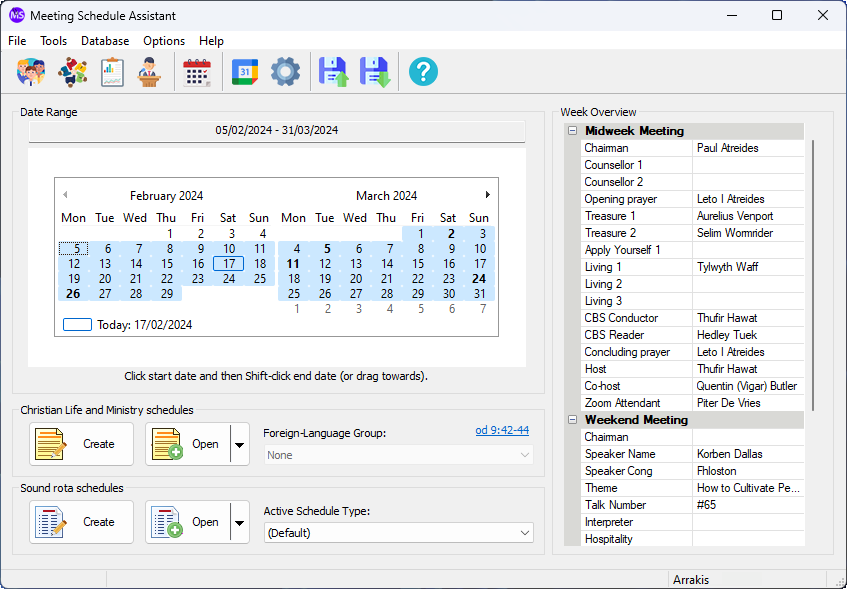
This is how it now works on the main window:
To summarise:
- Clicking the Meeting Editor button with open the editor with the current meeting workbook period by default.
- Clicking the Meeting Editor button with a date range selected will open the editor for just that date range.
- Or, choose one of the available periods:
- Last workbook
- Current workbook
- Following workbook
- The following workbook
This makes it easier to open the editor with your chosen data period. It will automatically create the empty weeks where they don’t exist. For example:
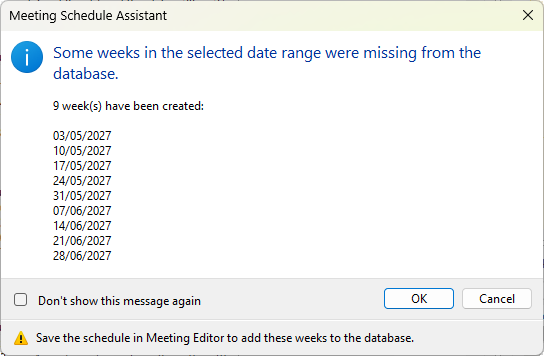
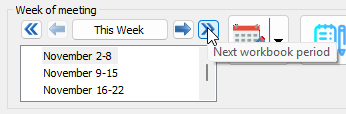
Changes have also been made in the Meeting Editor itself to make it easier to move between different workbook periods:
Combined Meeting Editor
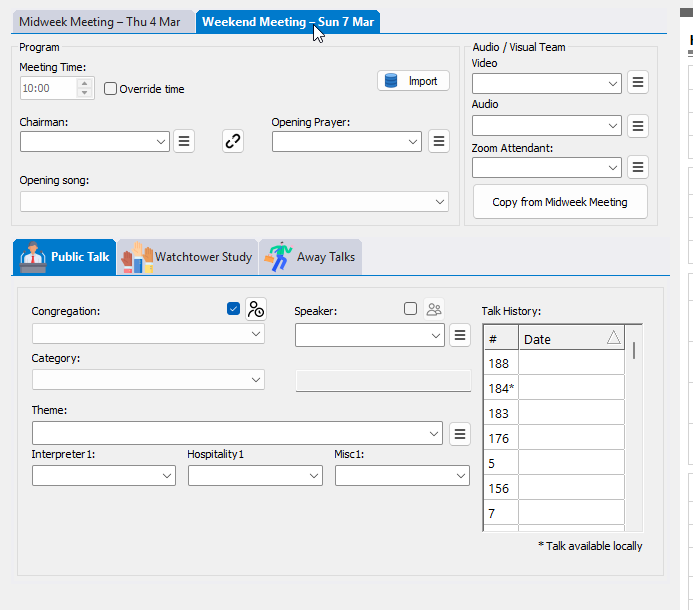
The Weekend Meeting window is now combined with the main editor as a new tab:
Dockable Panels
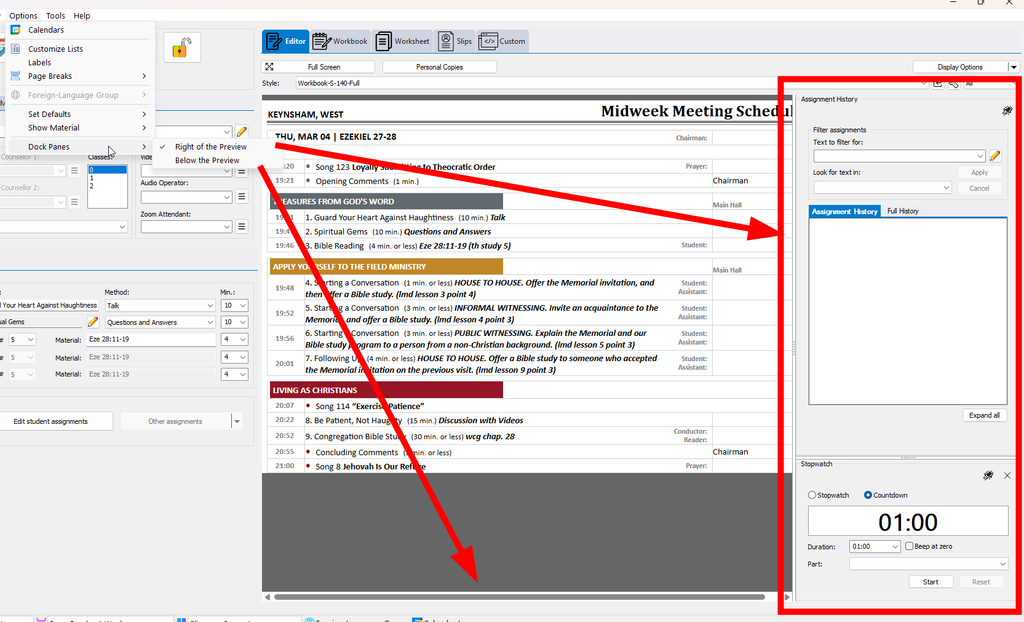
The assignment history and stop watch windows are now dockable:
Script Editor
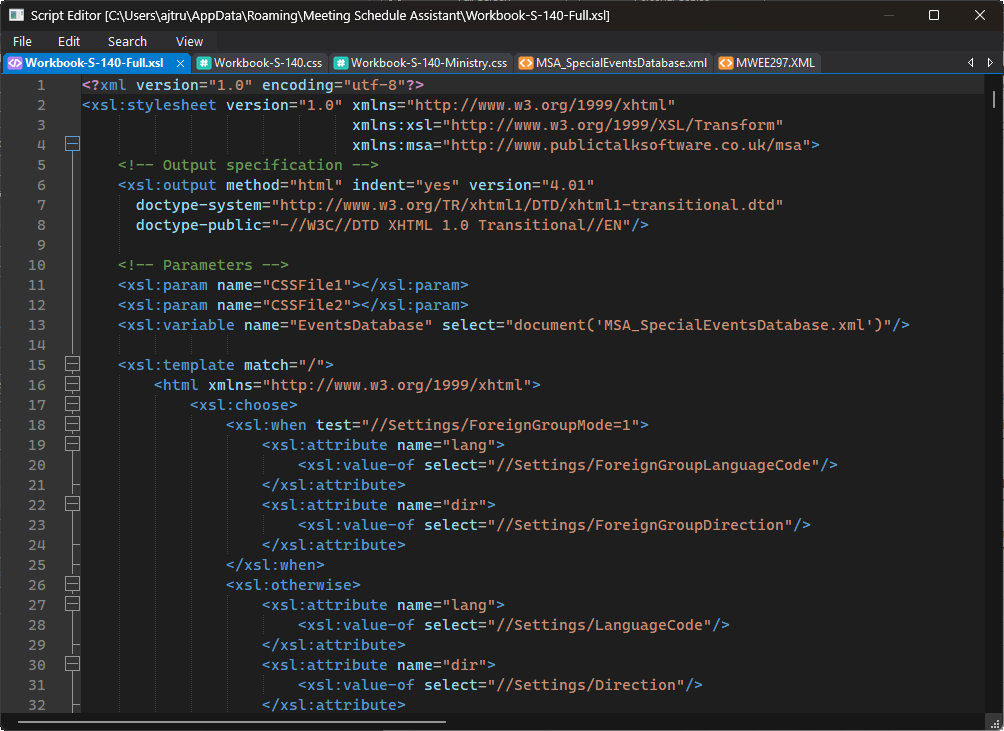
The script editor now supports multiple tabs, better dark mode support, and some other improvements to make editing your own scripts a bit easier. Access the script editor by right-clicking the view and choosing View > Script Editor.
Latest Download
Supported Operating Systems
- Windows 10
- Windows 11
Deprecated Operating Systems
These operating systems are no longer supported:
- Windows 7 (Service Pack 1)
- Windows 8.1
You can still download the last supported version of Meeting Schedule Assistant (which was 23.1.0) from here. But this version is no longer maintained. You are encouraged to use version 23.1.1 or higher.
Supported Operating Systems
- Windows 10
- Windows 11
Deprecated Operating Systems
These operating systems are no longer supported:
- Windows 7 (Service Pack 1)
- Windows 8.1
You can still download the last supported version of Meeting Schedule Assistant (which was 23.1.0) from here. But this version is no longer maintained. You are encouraged to use version 23.1.1 or higher.
You can set the software to update automatically, or upgrade at any time using the Check for Update option in the Help menu.
Should you remove the Edit option? It is trying to open the MWB
Technically, the Edit option will be removed in the future. For now, I’ve left it available because opening an MWB file effectively imports its contents into the database. Think of editing an MWB file as another form of import. Once everyone has imported their data, either through the recommended bulk import process or by manually editing/importing MWB files, I plan to remove the Edit option as you suggested.