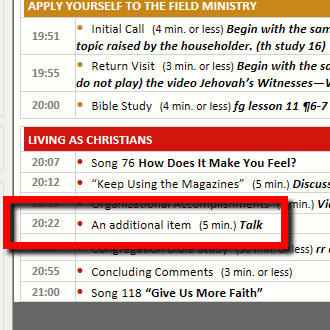
Meeting Schedule Assistant 20.2.8 is now available
2020-10-15
You can now include a third item in the Living as Christians section of the Midweek Editor in version 20.2.8. A couple of other improvements have
been made.Continue Reading
You can now include a third item in the Living as Christians section of the Midweek Editor in version 20.2.8. A couple of other improvements have
been made.Continue Reading
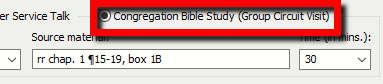
Version 20.2.7 includes a new feature for Foreign Language Groups who have the visit of the Circuit Overseer. Other minor improvements have also been made.Continue Reading
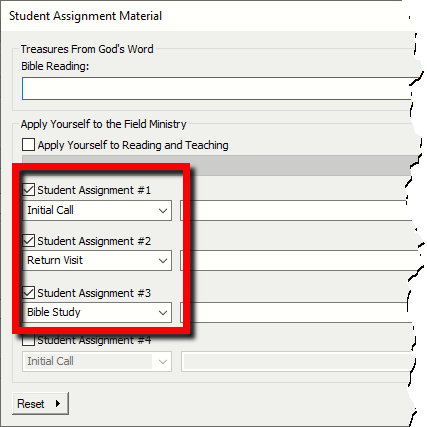
Version 20.2.6 includes updated song titles in Czech and Tamil. The default student item material values have been changed.Continue Reading
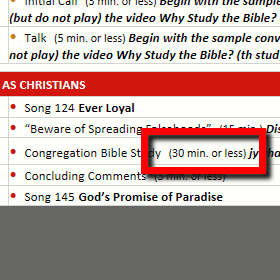
What’s New In this version we have some bug fixes and improvements to the Delete from assignment history feature on the Assignment History window in the Midweek Editor: Right-clicking on a publisher (to delete them) was sometimes asking you to delete the wrong person. Publishers that you deleted were immediatelyContinue Reading
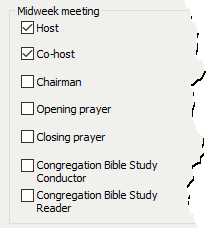
Version 20.2.4 includes improvements to the Import From OCLM Assignment History window. It now includes support for the Host and Co-host assignments.Continue Reading
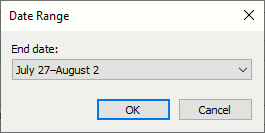
Version 20.2.3 includes some improvements to the Midweek Editor! You can change the Date Range and fine-tune downloading schedule information.Continue Reading
This video explains how to adjust the CSS/XSL documents so that you can hide the song titles from your S-140 schedules.Continue Reading
This explains how to change your XSL template so that you can use 12 hour format instead of 24 hour format.Continue Reading
This explains how to remove the borders from your S-140 schedule.Continue Reading
You can’t directly print your schedules to the DOCX format. But what you can do is print them to PDF and then use the website http://pdf2docx.com/ to convert it into a decently formatted DOCX file.Continue Reading