
🌟 Version 26.1.3 Update Highlights
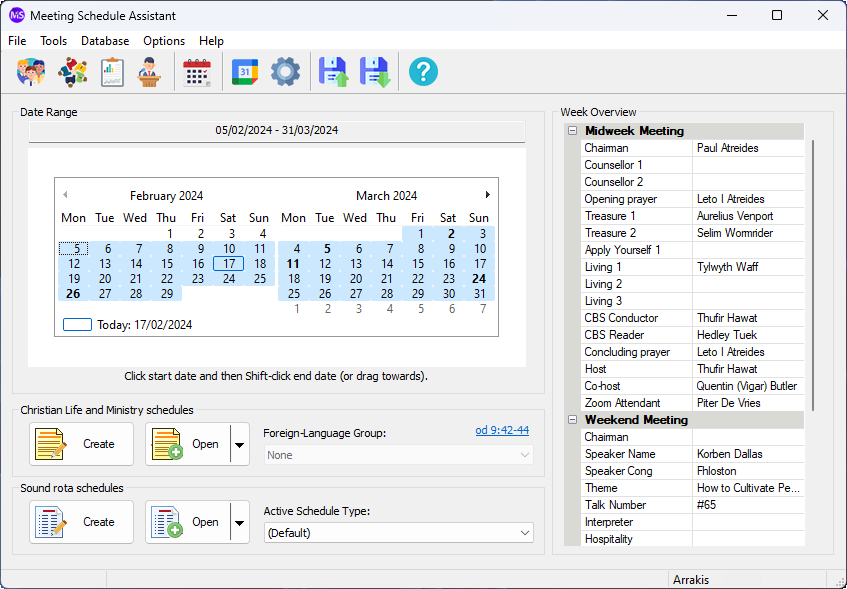
We’re excited to share what’s new in version 26.1.3! This release brings helpful enhancements for meeting management, improved accessibility, and expanded language support.
🆕 New Feature: Reset Meeting Assignments
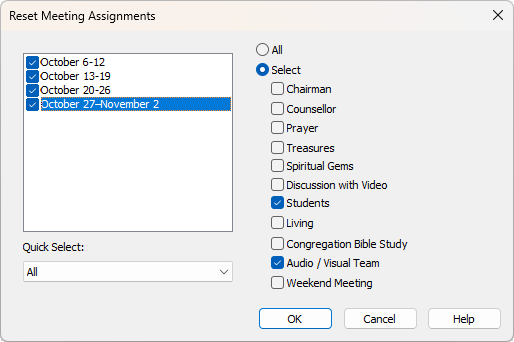
Need to clear outdated or incorrect meeting assignments before rescheduling? You can now do that with ease using the new Reset Meeting Assignments option in the Edit menu of the Meeting Editor.
This feature lets you selectively remove assignments for one or more weeks — perfect for tidying up before making changes.
📘 For step-by-step instructions, check out the Reset Meeting Assignments help topic.
🆕 New Feature: Check for Latest Schedule Info (Now in Meeting Editor)
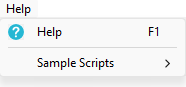
You can now access the Check for Latest Schedule Information feature directly from the Help menu inside the Meeting Editor. This makes it easier to verify whether newer Meeting Workbook data is available to request — without switching back to the main window. It works exactly the same as before, and for full details including email setup and update requirements, refer to the main application help topic.
🆕 New Feature: Support Forum Shortcut
A new icon has been added to the Social Icons panel: direct access to the Support Forum. Now it’s even easier to follow updates, ask questions, and share feedback with the Meeting Schedule Assistant community — all just one click away.

🌙 Dark Mode Refinement: WebView2 Flash Eliminated
We’ve resolved a long-standing issue affecting dark mode users: the brief flash of white that appeared when WebView2 components were initializing. This fix ensures a smoother, more consistent visual experience across all areas where WebView2 is used — no more jarring transitions when opening viewers or embedded content.
🌐Hebrew Support for S-89 (November 2023 Edition)
The S-89 template is now available in Hebrew! If you use the November 2023 edition and would like access to the Hebrew version, simply request the updated template through the usual process.
Thanks for staying up to date! As always, we appreciate your feedback and look forward to bringing you more enhancements soon.
Latest Download
Supported Operating Systems
- Windows 10
- Windows 11
Deprecated Operating Systems
These operating systems are no longer supported:
- Windows 7 (Service Pack 1)
- Windows 8.1
You can still download the last supported version of Meeting Schedule Assistant (which was 23.1.0) from here. But this version is no longer maintained. You are encouraged to use version 23.1.1 or higher.
Supported Operating Systems
- Windows 10
- Windows 11
Deprecated Operating Systems
These operating systems are no longer supported:
- Windows 7 (Service Pack 1)
- Windows 8.1
You can still download the last supported version of Meeting Schedule Assistant (which was 23.1.0) from here. But this version is no longer maintained. You are encouraged to use version 23.1.1 or higher.
You can set the software to update automatically, or upgrade at any time using the Check for Update option in the Help menu.