We are excited to announce that Meeting Schedule Assistant 26.2.0 has officially been released! This update introduces the Meeting Attendance window and a fully integrated Report Viewer Setup.
Whether you are tracking midweek meeting engagement or generating month-end summaries, this version simplifies the entire workflow with automation and a brand-new calendar interface.
Effortless Attendance Tracking
The new Meeting Attendance window is designed to be your one-stop shop for data entry.
- Calendar-Based Entry: Your meeting days are now highlighted in bold on a built-in calendar. Simply click a date, and the cursor jumps straight to the attendance field for that day.
- Automatic Totals: Enter your “In Person” and “Online” figures, and the system instantly calculates the total.
- Live Averages: No more calculators! As you type, the window updates your average attendance at the bottom of the screen in real-time.
Tip: Make sure your local congregation is added to the Congregation Database first to unlock these features!

Advanced Reporting & Setup
Tracking data is only half the battle; the other half is reporting it. We’ve added a dedicated Setup Window within the Report Viewer to give you total control over your data.

Two New Built-in Reports:
- Averages by Month: View detailed figures and separate averages for every meeting in a specific month.
- Averages by Period: Perfect for quarterly or service-year overviews, providing one combined average across multiple months.
Custom Date Formatting
With the new Custom Date specifiers, you can format your reports exactly how you like.
- Example: Setting the format to
%a, %b %dwill display dates as “Sun, Dec 21.” Use the Live Preview to see your changes before you print!
How to Get Started
Ready to try it out? You can access the new features in two seconds:
- Open Attendance: Click the new Meeting Attendance icon on your toolbar or go to
Database > Meeting Attendance. - Run a Report: From the Attendance window, go to
Database > Report Viewerto see your hard work turned into a professional document.
Need help setting up? If you haven’t set up your local congregation yet, the app will now provide a convenient shortcut to the Congregation Manager the moment you try to open the attendance window.
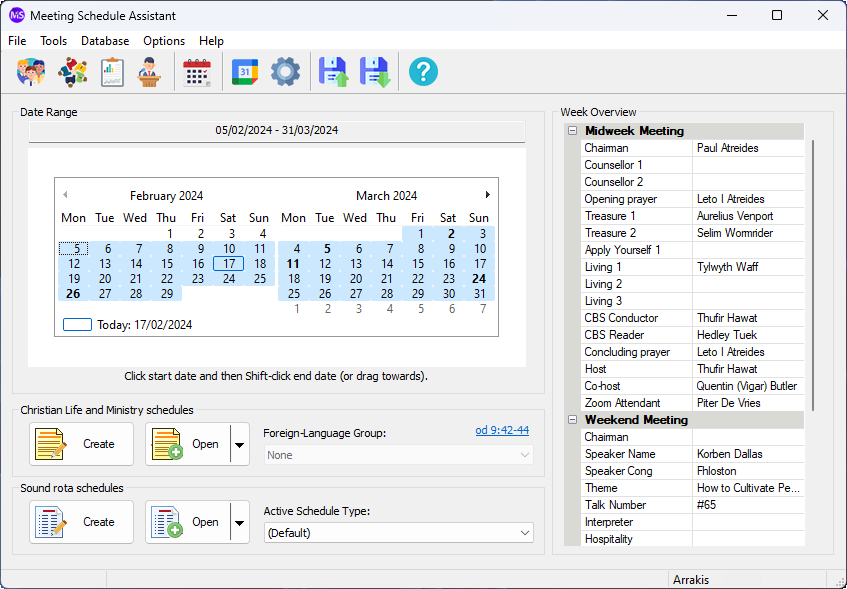
Sample Screenshots


Songbook & Interface Updates
Beyond the attendance features, this release includes important maintenance and content updates:
- Sing Out Joyfully: We have added Song 162 in Haitian Creole to the Meeting Editor.
- Dark Mode Refinement: We resolved a UI issue where the focus rectangle was misaligned with text labels when using Dark Mode, ensuring a cleaner, more accessible experience.
Download Now
Supported Operating Systems
- Windows 10
- Windows 11
Deprecated Operating Systems
These operating systems are no longer supported:
- Windows 7 (Service Pack 1)
- Windows 8.1
You can still download the last supported version of Meeting Schedule Assistant (which was 23.1.0) from here. But this version is no longer maintained. You are encouraged to use version 23.1.1 or higher.
Supported Operating Systems
- Windows 10
- Windows 11
Deprecated Operating Systems
These operating systems are no longer supported:
- Windows 7 (Service Pack 1)
- Windows 8.1
You can still download the last supported version of Meeting Schedule Assistant (which was 23.1.0) from here. But this version is no longer maintained. You are encouraged to use version 23.1.1 or higher.
Setup the software to update automatically or upgrade by using the Check for Update feature from the Help menu.