
Table of Contents
- 📊 Update Meeting Attendance Directly from the Weekly Overview
- 📰 Adjustable Zoom for the News Feed (Now Remembered Automatically)
- 📅 New “This Week” Button in the Meeting Editor
- 📝 Introducing the New Interactive Worksheet (Bootstrap 5 + Font Awesome 7)
- Latest Download
This release brings a number of improvements designed to make your weekly workflow smoother and more enjoyable. The highlight is the brand‑new Interactive Worksheet, rebuilt with modern components and expanded with support for custom notes.
You’ll also notice several quality‑of‑life enhancements throughout the application, including:
- easier attendance updates directly from the Weekly Overview
- remembered zoom levels in the News Feed
- a new This Week button in the Meeting Editor
We’ve also fixed an issue where the view‑mode tabs in the Meeting Editor could become disabled during special events such as the Memorial, ensuring everything stays responsive when you need it most.
📊 Update Meeting Attendance Directly from the Weekly Overview
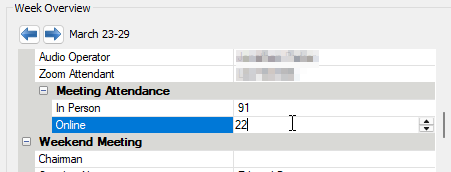
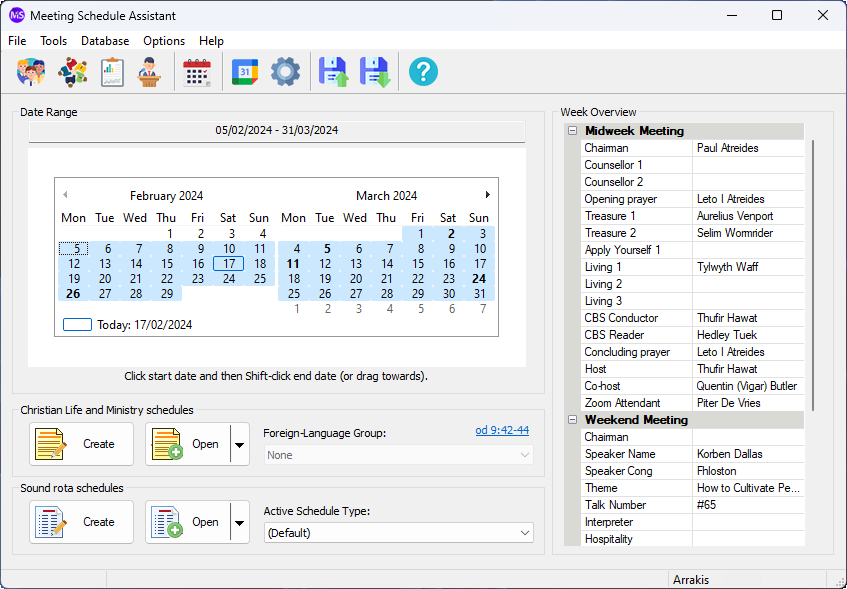
You can now keep Meeting Attendance up to date right from the Weekly Overview panel. There’s no need to open the Meeting Attendance manager — simply adjust the attendance values directly in the panel as you review each week.
When you make changes, the program will prompt you to save them before you move away from the week or close the application. This ensures your attendance records stay accurate and safely stored in the database.
🔧 Database Upgrade Prompt (When Required)
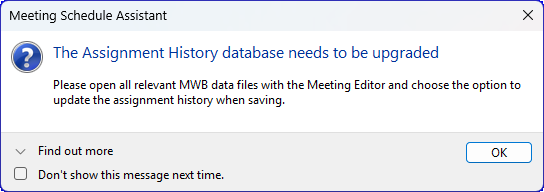
If you navigate to a week where the Assignment History database hasn’t been upgraded yet, you’ll see a notification explaining that an update is required. This ensures Meeting Attendance and other features continue to work correctly.
You can click Find out more to expand the message and read additional details about why the upgrade is needed. If you prefer not to see the reminder again, you can tick Don’t show this message next time.
📰 Adjustable Zoom for the News Feed (Now Remembered Automatically)
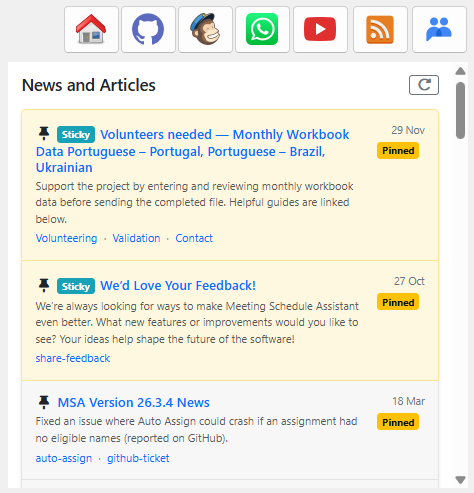
Did you know you can adjust the zoom level of the News Feed panel on the main window? This makes it easier to read articles and announcements at a size that’s comfortable for you.
You can change the zoom using your mouse wheel or the standard zoom hotkeys. If you prefer to use hotkeys, just click once inside the News Feed panel first — this gives it focus so the shortcuts apply to the feed rather than the main window.
Your chosen zoom level is now remembered automatically, so the News Feed will open at your preferred size every time you use the application.
📅 New “This Week” Button in the Meeting Editor
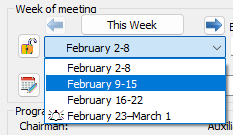
A new This Week button has been added to the Meeting Editor, making it easy to return to the current week at any time. If you’ve been browsing ahead or reviewing past weeks, you can now jump back instantly with a single click — the button appears whenever the current week is available.
📝 Introducing the New Interactive Worksheet (Bootstrap 5 + Font Awesome 7)
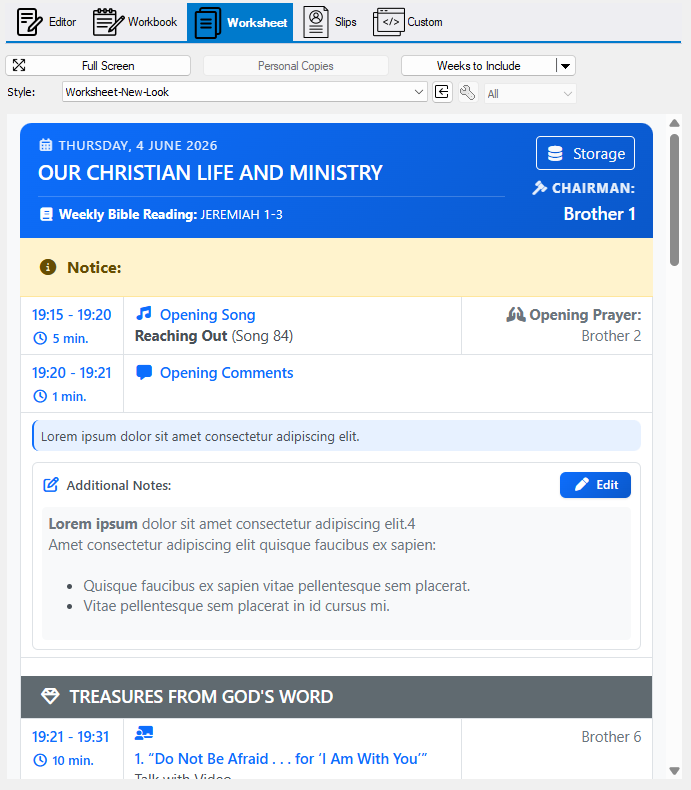
The Interactive Worksheet has been completely updated in this release. It now uses Bootstrap 5 and Font Awesome 7, giving it a cleaner layout, improved responsiveness, and more consistent iconography across the entire template.
The Interactive Worksheet has been completely rebuilt in this release. It now uses Bootstrap 5 and Font Awesome 7, giving it a cleaner layout, improved spacing, and more consistent icons throughout. The result is a smoother, more modern experience whether you’re preparing assignments or reviewing meeting details.
This update also introduces support for custom notes in several areas of the worksheet. You can add your own notes directly within the template using the built‑in rich text editor, and your notes are stored locally on your device.
To help you get the most out of the new design, three updated help topics are available:
- Interactive Midweek Meeting Worksheet — full walkthrough of the new layout and features
- Sharing Guide — how to export and share the worksheet (PDF or interactive HTML)
- Recipient Guide — simple instructions for those receiving the worksheet
These topics explain the new workflow, the improved structure, and how to use the interactive features effectively.
Latest Download
Supported Operating Systems
- Windows 10
- Windows 11
Deprecated Operating Systems
These operating systems are no longer supported:
- Windows 7 (Service Pack 1)
- Windows 8.1
You can still download the last supported version of Meeting Schedule Assistant (which was 23.1.0) from here. But this version is no longer maintained. You are encouraged to use version 23.1.1 or higher.
Supported Operating Systems
- Windows 10
- Windows 11
Deprecated Operating Systems
These operating systems are no longer supported:
- Windows 7 (Service Pack 1)
- Windows 8.1
You can still download the last supported version of Meeting Schedule Assistant (which was 23.1.0) from here. But this version is no longer maintained. You are encouraged to use version 23.1.1 or higher.
You can set the software to update automatically, or upgrade at any time using the Check for Update option in the Help menu.