Skip to content
Click Here
WhatsApp
Theocratic Software
Theocratic Software for use by Jehovah's Witnesses
Primary Navigation Menu
Menu
  • HomeIt all starts here!
  • SoftwareRead about our software
    • Meeting Schedule Assistant 2026Get an overview of this versatile scheduling software
      • Issues TrackerOpen the issue tracker to report problems, request features, or get help.
      • Online HelpOnline help for Meeting Schedule Assistant
    • Public Talks 2023Here is an introduction to our Public Talk scheduling software
      • Issues TrackerOpen the issue tracker to report problems, request features, or get help.
      • Online HelpOnline help for Public Talks
    • Visits Rota 2026Learn more about our Elderly and Infirm software
      • Online HelpOnline help for Visits Rota
    • Elderly & Infirm Rota for MacLearn more about Elderly and Infirm Rota for macOS
    • OtherLearn more about our other utilities that we have available.
      • Center Cursor on ScreenCenter Cursor on Screen is designed for the Audio Visual Team.
  • HelpHere are our help resources
    • Cookie PolicyOur cookie policy is available for review here.
    • Privacy PolicyOur privacy policy is available for review here.
    • Remote SupportLet us connect to your computer remotely to help identify and fix any issues you’re experiencing.
    • Zoom Video ConferencingRead some handy tips for using the Zoom Video Conferencing software
    • Online ResourcesAdditional resources to help you
      • Video TutorialsHave a look at our video channel
      • Videos – SearchQuickly find the video tutorial you need
  • LinksOther useful tools
  • DonationsWays to donate
  • ContactGetting in touch
  • NewsletterSign up here
  • ReviewsWrite a user review
You are viewingTheocratic Software > Meeting Schedule Assistant > Meeting Editor > Workbook Styles

Workbook Styles

Feature Image - MSA 24.14.6

Meeting Schedule Assistant 24.14.6 is now available

2024-11-10
Meeting EditorMeeting Schedule AssistantNewsletterWorkbook Styles
By: TS-Support
On: 10/11/2024

This latest version of the software includes several minor improvements, bug fixes and a brand new built-in Meeting Editor workbook template (based on CLM Explorer).Continue Reading
23.1.1 Feature Image

Meeting Schedule Assistant 23.1.1 is now available

2023-02-15
Meeting EditorMeeting Schedule AssistantNewsletterWorkbook Styles
By: TS-Support
On: 15/02/2023

This version includes new features, bug fixes, translation updates and support for Windows 7 (Service Pack 1) / Windows 8.1 has been deprecated.Continue Reading

Meeting Date Popup

Meeting Schedule Assistant 23.0.8 is now available

2023-01-13
Meeting EditorMeeting Schedule AssistantNewsletterWorkbook Styles
By: TS-Support
On: 13/01/2023

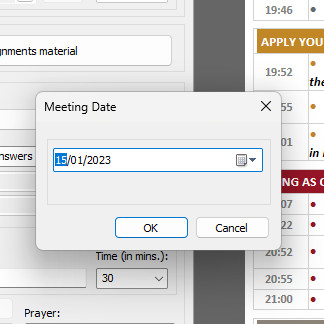
This version includes updated Workbook templates. And it is now possible to change the Weekend Meeting date on an ad-hoc basis.Continue Reading

Feature Image

Meeting Schedule Assistant 23.0.7 is now available

2023-01-08
Meeting EditorMeeting Schedule AssistantNewsletterWorkbook Styles
By: TS-Support
On: 08/01/2023

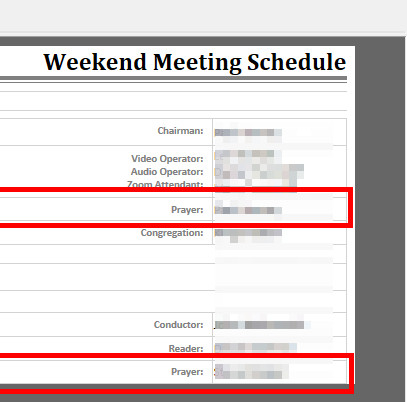
The Prayer assignments are now included on the Workbook templates (where applicable).Continue Reading

Feature Image

Meeting Schedule Assistant 22.0.3 is now available

2022-02-08
Meeting EditorMeeting Schedule AssistantNewsletterWorkbook Styles
By: TS-Support
On: 08/02/2022

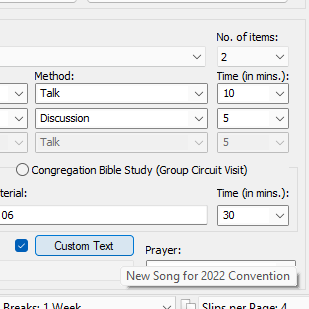
You can now customize the closing song text on your Midweek Schedule and more …!Continue Reading

Restore Settings window

Meeting Schedule Assistant 21.1.7 is now available

2021-07-28
Meeting Schedule AssistantNewsletterWorkbook Styles
By: TS-Support
On: 28/07/2021

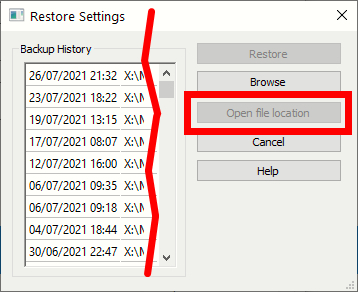
Version 21.1.7 includes an updated Restore Settings window and other improvements. Find out more in this edition of the Newsletter.Continue Reading

Updated Chairman Notes window

Meeting Schedule Assistant 21.0.6 is now available

2021-02-12
Assignments EditorMeeting EditorMeeting Schedule AssistantNewsletterWorkbook StylesWorksheet Styles
By: TS-Support
On: 12/02/2021

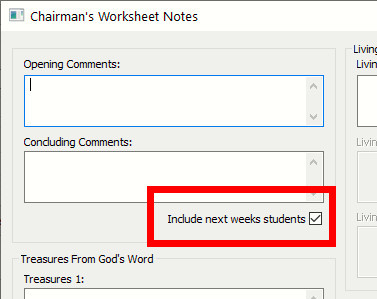
Version 21.0.6 has several improvements for the Midweek Editor. For example, including next weeks students on the worksheet.Continue Reading

Updated Midweek Editor Status Bar

Meeting Schedule Assistant v20.1.4 is now available

2020-04-25
NewsletterAssignments EditorMeeting EditorMeeting Schedule AssistantWorkbook Styles
By: TS-Support
On: 25/04/2020

We are excited to announce the release of Meeting Schedule Assistant 20.1.4. It has upgraded status bars and caters for Video Conferencing and more!Continue Reading

Meeting Schedule Assistant v20.0.7 is now available

2020-02-14
NewsletterMeeting EditorWorkbook Styles
By: TS-Support
On: 14/02/2020

Read about what is new in the latest version (20.0.7) of Meeting Schedule Assistant.Continue Reading

Weekend Only Report Thumbnail

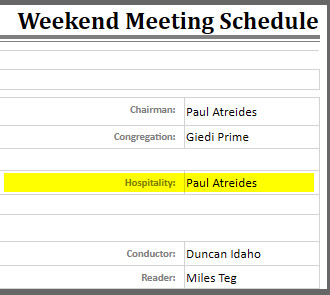
Displaying the Hospitality field on the Weekend Only Report

2019-02-25
TutorialsFrequently Asked QuestionsMeeting EditorWorkbook Styles
By: TS-Support
On: 25/02/2019

It is possible to change the information that is displayed on this report. Detailed information can be found towards the end of the Advanced Customisation help topic. How To Do It Step 1 Bring up your File Explorer and navigate to your User Application Data folder. The easiest way toContinue Reading

Posts pagination

1 2 Next

Search

Downloads

Software Applications

Download links to all our software

Click link

Scripts — Workbook

Download links to some of our workbook scripts. You will find more in the Support Forum.

Click Link

Scripts — Worksheet

Download links to some of our worksheet scripts. You will find more in the Support Forum.

Click Link

Scripts — Custom

Download links to some of our Custom scripts. You will find more in the Support Forum.

Click Link

Search Downloads

Search for a download.

Click link

Recent Posts

survey

User Survey

By: TS-Support
On: 29/05/2022

Please answer this survey to tell us a little bit about which software you use on your computer. Thanks!

Searching for Information

By: TS-Support
On: 22/01/2020

Categories

Archives

Online Resources

Copyright © 2002 - 2026 TruckleSoft. All Rights Reserved. Some images from Freepik.com. Consent Preferences